Temp Mail Ninja Chrome Extension: Your Privacy and Security at One Click
In a world filled with signups, free trials, and newsletters, your inbox can easily get cluttered. That’s where Temp Mail Chrome Extension comes in, a fast, free, and secure way to generate temporary email addresses directly from your browser.
What Is a Temp Mail Extension?
A temp mail extension (or temporary email browser add-on) allows users to create disposable email addresses instantly within Chrome or any Chromium-based browser. This is perfect for protecting your real inbox when registering on unknown websites, testing platforms, or downloading resources.
With Temp Mail Ninja, you can:
- Generate a new temporary inbox in seconds.
- Receive verification codes and messages instantly.
- Keep your main inbox safe from spam and marketing emails.
- Use it directly in Chrome without visiting any website.
Why Choose Temp Mail Ninja Chrome Extension?
Our disposable email Chrome extension is built for users who value simplicity, privacy, and speed. Unlike traditional temporary email services that require you to open a separate tab, Temp Mail Ninja integrates directly into your browser toolbar, making it the easiest way to use a temp mail add-on for Chrome.
Key Features:
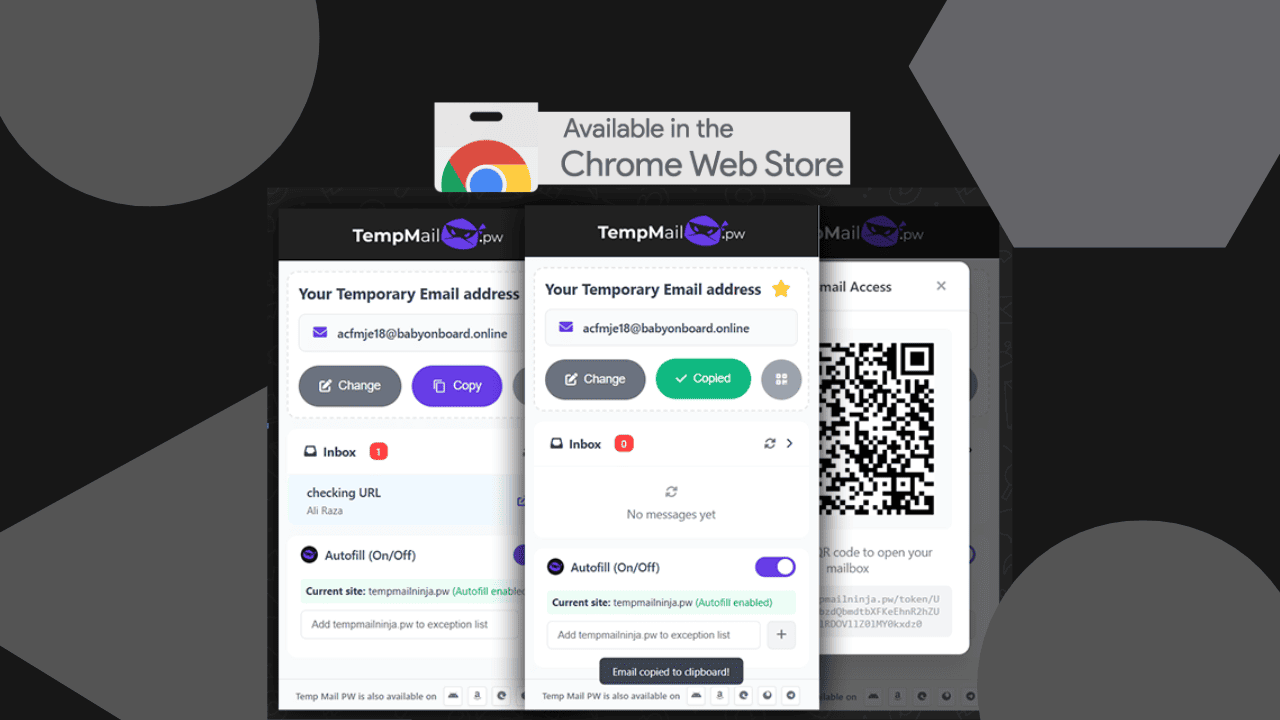
- Instant Disposable Email Generation: Create a temporary email address with just one click.
- Real-Time Inbox Access: Receive and view emails directly in the extension window.
- Secure and Anonymous: No sign-up required, no personal data collected.
- Works on All Chromium Browsers: Compatible with Chrome, Edge, Brave, and Opera.
- Auto Refresh & Copy Options: Instantly copy your email or refresh the inbox when needed.
Related Post: Top 10 Use Cases for Temp Mail Ninja PW
Supported Platforms
While Temp Mail Ninja is primarily a Chrome extension, it also works perfectly on:
- Microsoft Edge (via Chrome Web Store support)
- Brave Browser
- Opera
You can think of it as a universal browser plugin for temporary inboxes, lightweight, efficient, and privacy-focused.
How to Install and Use Temp Mail Ninja Extension
Follow these simple steps to get started:
- Visit the Temp Mail Ninja Chrome Extension Page
- Click “Add to Chrome” and confirm installation.
- Pin the Temp Mail Ninja icon to your toolbar.
- Click the icon to instantly get your disposable email address.
- Copy it and use it anywhere, receive emails in real time!
No setup, no registration, no hidden steps, just instant temporary email access whenever you need it.
Final Thoughts
If you’ve ever wished for a quick, safe way to create disposable email addresses without switching tabs, Temp Mail Ninja Chrome Extension is the answer.
Whether you call it a burner email extension, an anonymous email plugin, or a temporary inbox browser tool, it does one thing perfectly, protect your privacy online.
🔗 Try it now: Temp Mail Ninja – Disposable Email Extension
Stay private. Stay spam-free. Stay Ninja. 🥷
Share this page